



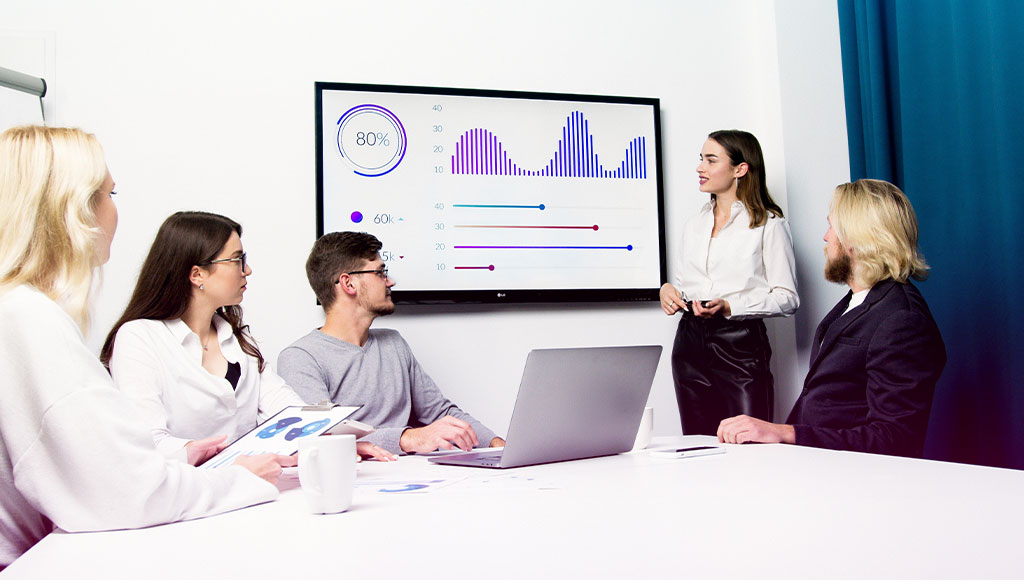
Why is it worth taking a PowerPoint course?
PowerPoint training is a great way to learn all the capabilities of this popular presentation tool. Here are some reasons why it is worth investing time and effort in learning PowerPoint:
- Expand your skills: PowerPoint training allows you to gain knowledge of advanced program features that can make your presentations more professional and attractive.
- Increase your value on the job market: The ability to use PowerPoint is often required in many professional fields. Knowing this program can increase your chances of finding an attractive job or getting a promotion in your current company.
- Effective communication: PowerPoint enables you to create clear and structured presentations that help convey information in a simple and accessible way.
- Enhancing multimedia presentations: With PowerPoint, you can enrich your presentations with media such as images, videos or sounds, making them more engaging and interesting for viewers.
- Personal development: PowerPoint training is also an excellent opportunity for personal growth and improving communication skills.

PowerPoint program – Basics of creating presentations
Choosing the right PowerPoint course is crucial for effective learning. There are many training options available, both stationary and online, offering different levels of advancement. Before registering, it is worth considering your goals and expectations and deciding whether you need a basic or advanced course.
Basics of the PowerPoint program
Every PowerPoint course begins with an introduction to the program’s basic tools and features. You will learn the PowerPoint interface, how to create new presentations and how to edit existing slides. You’ll also learn how to add text, images, multimedia and animation effects to your slides.
Creating slide masters
As part of a Microsoft PowerPoint course, you will learn how to create slide masters. Masters are ready-made layouts and formatting that can be applied to individual slides in your presentation. They help ensure a consistent appearance and layout, improving readability and aesthetics.

Advanced PowerPoint – Deepen your skills
The advanced PowerPoint course is aimed at people who already have basic knowledge of the program and want to deepen their skills. Such a course offers advanced features and techniques that help achieve even better presentation results.
PowerPoint Online – A convenient and flexible solution
PowerPoint Online is an increasingly popular form of learning that offers many benefits. You can study anywhere and anytime using online training materials. Additionally, online courses often provide a flexible schedule that can be adjusted to your pace of learning.
Business presentations training – Gain new skills
Advanced PowerPoint courses often focus on creating business presentations. You will learn how to create presentations that effectively convey information, attract the audience’s attention and help achieve business goals. You will explore storytelling techniques, visually consistent slide building and effective communication through presentations.
Creating attractive PowerPoint presentations
One of the main goals of advanced PowerPoint training is learning how to create attractive and professional presentations. You will explore advanced animation effects, slide formatting techniques and ways to enrich your work with multimedia. This will make your presentations more interesting and memorable.
PowerPoint training – Advanced options and special features
A PowerPoint course also covers advanced options and special program features that give you even greater control over creating presentations.
Multimedia presentations – Use the full potential of the program
PowerPoint allows you to create multimedia presentations using images, videos and sound. You will learn how to insert and edit multimedia to enrich your presentations and make them more dynamic and engaging.
Printing informational materials – advanced level
The course will also discuss techniques for printing informational materials such as slides, notes or posters. You will learn different formatting options and ways to adjust print settings to your needs. Printed materials may be useful for distributing presentation content or preparing print-ready versions.
Animations and chart formatting
PowerPoint’s animation features and chart formatting tools are another key area of the course. You will learn how to create visually appealing and clear charts that help present numerical data in an understandable way. You will explore various animation effects that can enrich your presentation and make it more dynamic.

Stationary vs. online PowerPoint training
Before enrolling in a PowerPoint course, it is worth considering the differences between stationary and online training to choose the learning format that best suits your preferences and needs.
Advantages of stationary training
Stationary PowerPoint courses offer direct contact with the trainer and other participants, which enables interaction, asking questions and exchanging experiences. Stationary training may also be more intensive and focused because you devote your entire time to learning in a specific place.
Flexibility of online PowerPoint training
Online PowerPoint courses are a flexible solution that allows you to study anywhere and anytime. You can adjust the pace of learning to your schedule and study at your own speed. Online courses often provide access to learning materials for a certain period, allowing for review and further deepening of knowledge.
Microsoft PowerPoint course completion certificate – Stand out on the job market
After completing a PowerPoint course, you can receive a certificate confirming your skills. Having a certificate can help you stand out on the job market and demonstrate your commitment to professional development. It can also be a valuable addition to your CV and increase your chances of finding a job or getting a promotion.
Summary: A PowerPoint course is an excellent opportunity to learn how to create professional presentations. Whether you choose a basic or advanced course, learning how to use PowerPoint can bring many benefits, both professionally and personally. By choosing the right course, you can deepen your presentation-building skills, learn advanced features and techniques, and take advantage of flexible online learning options. After completing the course, you can receive a certificate confirming your skills and increasing your value on the job market.
We invite you to take part in our training, where you will learn how to create professional presentations in PowerPoint. With our training, your presentations will become more attractive and effective, and you will be appreciated by your audience. Join our satisfied clients today and start capturing attention with your presentations! Required for training participants.
If you have questions, write to us – we will gladly answer all of them and prepare an individual training plan for you. Full professionalism, an individual approach and a comprehensive training program are the biggest advantages of training with re-present.me. Try us today!
 Previous